
Common Cheque Printing Errors in UAE and How to Avoid Them
By Delicate Software Solutions | UAE Business Software Experts
Printing cheques may look simple, but a small mistake in the date, amount, beneficiary name, or print alignment can create unnecessary delays and rework. For businesses that issue supplier payments, rent cheques, salary-related payments, or post-dated cheques (PDCs), even one incorrect cheque can become a costly administrative problem.
The good news is that most cheque printing mistakes UAE businesses face are preventable. With a consistent process, careful verification, and reliable cheque printing software, businesses can reduce manual errors and make cheque preparation faster and more controlled.
This guide explains the common cheque printing errors UAE businesses and individuals encounter, how to prevent them, and how FastCheque can simplify the entire cheque printing process.
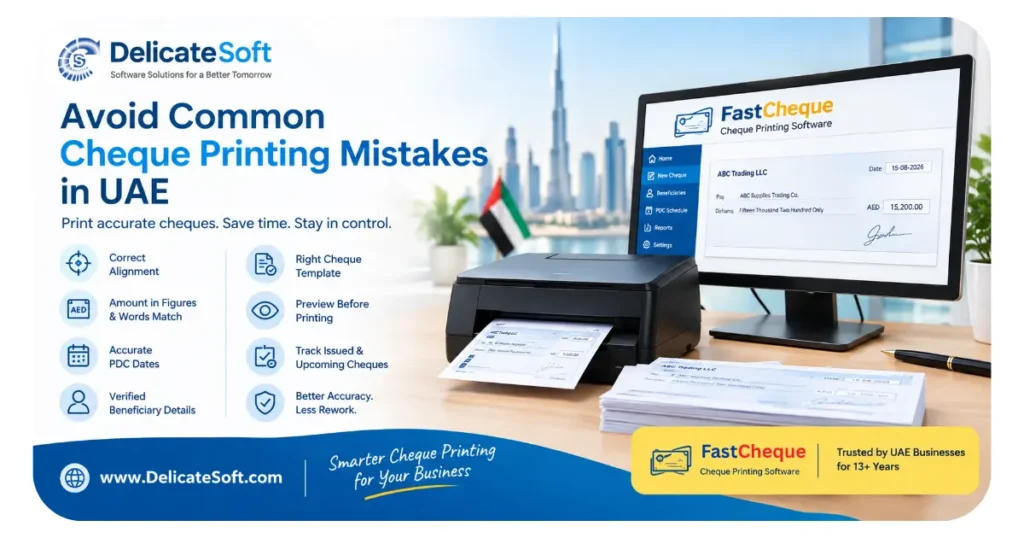
1. Printing the Amount, Date or Name in the Wrong Position
One of the most common problems when printing directly onto a bank cheque leaf is incorrect alignment.
Unlike a normal A4 document, a cheque has fixed fields for the date, payee, amount in figures, amount in words and other information. Different banks may use different cheque layouts, so a template that works for one cheque book may not work correctly for another.
Why does cheque alignment go wrong?
Common causes include:
- Using a generic Word or Excel template
- Incorrect paper size or printer settings
- Feeding the cheque incorrectly
- Changes in printer margins
- Using the wrong bank template
- Small differences between cheque book designs
Even a small shift can cause printed information to overlap with pre-printed text or fall outside the intended field.
How to avoid it
Before printing a batch of cheques, test the template using a blank sheet or photocopy of the cheque. Check the position of the:
- Date
- Beneficiary name
- Amount in figures
- Amount in words
- Account or reference information, where applicable
A dedicated cheque printing software UAE solution can store and reuse properly configured cheque layouts, reducing the need to manually adjust margins every time.
2. Amount in Figures Does Not Match the Amount in Words
Entering the amount twice is another major source of common cheque printing errors UAE businesses should watch for.
For example, a cheque may show:
Figures: AED 15,250
Words: Fifteen Thousand Two Hundred Dirhams Only
The difference may be caused by a simple typing or conversion error.
The problem becomes more likely when employees manually type the amount in figures and then write or type the amount in words separately.
A better approach
Enter the amount once and let the software generate the corresponding amount in words automatically.
This creates a single source of information and reduces the possibility of entering two different values.
For businesses processing many cheques each month, this small change can eliminate a surprisingly common source of rework.
You can also use DelicateSoft’s Cheque Amount to Words Converter when you need to quickly verify the correct wording of an amount.
3. Incorrect Dates on Post-Dated Cheques
PDCs are widely used in the UAE for arrangements such as:
- Office or shop rent
- Supplier payments
- Equipment instalments
- Vehicle-related payments
- Service contracts
- Other agreed instalment arrangements
When several PDCs are prepared together, manually entering each date creates room for mistakes.
For example, if a business prepares 12 monthly cheques, entering 12 dates manually means there are 12 opportunities to enter the wrong day, month or year.
How to avoid PDC date mistakes
Create a clear PDC schedule before printing.
Check:
- The first cheque date
- Payment frequency
- Number of cheques
- Final cheque date
- Amount of each cheque
A good cheque management process should also make it easy to identify upcoming PDC commitments so that the business can plan cash flow before the relevant payment date.
The Central Bank of the UAE has specific rules and guidance relating to cheques and their presentation. Businesses should therefore treat PDC preparation and cash-flow planning seriously rather than relying solely on a handwritten calendar.
4. Incorrect Beneficiary or Payee Name
A cheque can also become problematic when the beneficiary name is entered incorrectly.
Typical examples include:
- Spelling mistakes
- Missing company suffixes
- Incorrect abbreviations
- Using a trading name instead of the required name
- Copying an old beneficiary name
- Entering information from memory
For example, a supplier may be legally registered under one name while its employees commonly use a shorter trading name.
Best practice
Do not rely on memory when preparing business cheques.
Keep an approved beneficiary list containing the exact information your business normally uses for payments. When creating a cheque, select the beneficiary rather than typing the name repeatedly.
This is particularly useful for businesses that issue dozens or hundreds of cheques each month.
It also helps create a more consistent accounting process because the same supplier information can be reused instead of repeatedly entered by different employees.
5. Using the Wrong Cheque Template
Another common mistake is selecting the wrong cheque format.
A business may have multiple bank accounts, and each account can have its own cheque book. If the wrong template is selected, the printed information may not align correctly.
This can happen when:
- Multiple bank accounts are used
- Different companies share an office
- Several cheque books are kept together
- Employees are unfamiliar with the cheque layout
- Old templates remain on the computer
Simple prevention method
Give every cheque template a clear name based on the company, bank and account.
Before printing, verify the cheque book against the selected template.
A dedicated cheque printing application can make this process easier by allowing the correct template to be associated with the relevant bank account.
6. Printing Without Checking a Preview
One of the easiest ways to prevent cheque printing mistakes UAE businesses encounter is also one of the simplest: check the cheque before printing.
A quick review can catch:
- Incorrect amount
- Wrong beneficiary
- Wrong date
- Typing errors
- Missing information
- Incorrect cheque template
- Alignment problems
For a single cheque, this may take only a few seconds. For a batch of cheques, however, manually reviewing every field can become time-consuming.
Use a two-step verification process
A practical workflow is:
Step 1: Prepare the cheque information.
Step 2: Preview and verify it before printing.
For high-value payments, consider having another authorized employee perform a second check before the cheque is released.
This is especially useful when multiple employees are involved in accounts payable.
7. Losing Track of Printed and Upcoming Cheques
Printing a correct cheque is only part of the process.
Businesses also need to know:
- Which cheques have been printed
- Which cheques have been issued
- Which PDCs are upcoming
- Which cheques have been cancelled
- Which payments have been completed
- Which cheque numbers were used
A paper register or spreadsheet can work for a small number of transactions, but it becomes harder to manage as the volume grows.
Why PDC tracking matters
The Central Bank of the UAE’s cheque-clearing framework uses electronic cheque images through the Image Cheque Clearing System (ICCS), reducing reliance on physical movement of cheques during clearing.
That makes accurate preparation and record keeping even more important.
Businesses should maintain a clear internal record of every cheque issued and the payment it relates to.
8. Ignoring Cash Flow Before a PDC Is Presented
This is not technically a printing error, but it is one of the most important risks associated with PDC management.
A cheque may be printed perfectly but still create a serious problem if the required funds are not available when it is presented.
The CBUAE explains that where a cheque cannot be fully paid, the beneficiary may receive available funds and subsequently seek the remaining amount according to the applicable mechanism.
Practical prevention
Maintain a PDC calendar and review upcoming commitments regularly.
For example, a finance team could review upcoming cheque obligations:
- 30 days ahead for major commitments
- 7 days ahead for routine payments
- 1 to 2 days ahead for final cash-flow verification
The exact review schedule should depend on the business’s cash-flow cycle and payment arrangements.
The objective is simple: never allow an important cheque obligation to become a surprise.
Common Cheque Printing Mistakes vs. Simple Solutions
| Common mistake | Why it happens | Practical solution |
|---|---|---|
| Incorrect print alignment | Wrong template or printer settings | Use a tested bank-specific template |
| Figures and words differ | Amount entered twice | Generate words automatically |
| Wrong PDC date | Dates entered manually | Prepare and verify a PDC schedule |
| Incorrect beneficiary | Name typed repeatedly | Use a saved beneficiary list |
| Wrong cheque template | Multiple bank accounts | Clearly label and organize templates |
| No final verification | Cheques printed too quickly | Preview before printing |
| Poor PDC tracking | Spreadsheet or paper-based tracking | Maintain a centralized cheque register |
| Insufficient funds | Upcoming payments not monitored | Review PDC commitments and cash flow |
This simple comparison is useful when reviewing how to avoid cheque printing mistakes UAE businesses commonly face.
5 Quick Wins You Can Implement Today
You do not necessarily need to change your entire accounts process overnight. Start with these five improvements:
1. Create a cheque checklist
Before releasing a cheque, verify the date, beneficiary, amount in figures, amount in words and cheque number.
2. Stop typing amounts twice
Use a system that generates the amount in words from the numerical amount.
3. Save verified cheque templates
Once a cheque layout is correctly aligned, save it and avoid repeatedly creating new templates.
4. Maintain a PDC calendar
Record every future-dated cheque and review upcoming obligations regularly.
5. Separate preparation from approval
Where practical, have one employee prepare the cheque and another authorized person verify it before it is issued.
These changes can reduce avoidable mistakes without requiring a complicated accounting transformation.
FastCheque: A Simpler Way to Print Business Cheques
If your business still prepares cheques using Word, Excel or handwritten methods, it may be time to consider dedicated cheque printing software UAE businesses can use for a more structured workflow.
FastCheque Cheque Printing Software is designed to help businesses print professional cheques while reducing repetitive manual work.
Instead of entering cheque information manually every time, FastCheque provides a dedicated environment for preparing and printing cheques.
Key benefits include:
- Faster cheque preparation
- Automated amount-to-words conversion
- Better control over cheque layouts
- Reduced repetitive data entry
- Support for different cheque formats
- Easier handling of regular business payments
- More consistent cheque printing
- Better record keeping
- Suitable for businesses that regularly print cheques
FastCheque is particularly useful for companies that issue supplier cheques, rental cheques, PDCs and other regular business payments.
Delicate Software Solutions has been providing cheque printing software in the UAE for more than 13 years, helping businesses move away from inefficient manual cheque preparation.
Want to reduce repetitive cheque-writing work? Explore FastCheque and see how it can fit into your business payment process.
How to Implement FastCheque in Your Business
Moving to cheque printing software does not have to be complicated.
Step 1: Identify your cheque books
Make a list of the banks and accounts from which your business regularly issues cheques.
Step 2: Configure the cheque format
Set up the required cheque layout and verify the print positions using your actual cheque leaf.
Step 3: Add regular beneficiaries
Enter frequently used suppliers, landlords and other payees so information does not need to be repeatedly typed.
Step 4: Test print
Always perform a test before starting regular production printing. Check the alignment of every important field.
Step 5: Establish an approval process
Decide who prepares, verifies and authorizes cheques within your organization.
Step 6: Start using a consistent PDC process
For post-dated cheques, maintain a clear schedule of dates, amounts and beneficiaries, then review upcoming obligations regularly.
This approach turns cheque printing from an individual employee’s routine into a repeatable business process.
Why Automated Cheque Printing Is Better Than Repeated Manual Entry
Manual cheque preparation depends heavily on people entering the same information correctly again and again.
That creates what can be called repeat-entry risk.
If an employee prepares 50 cheques and manually enters the beneficiary, date and amount for each cheque, there are hundreds of individual data-entry actions. Even highly careful employees can make occasional mistakes.
Automation does not remove the need for human approval. Instead, it reduces unnecessary repetition and allows employees to focus on checking the transaction rather than repeatedly typing it.
That is the real value of cheque printing software: fewer repetitive steps, more consistent processes and better control.
Cheque Printing Mistakes UAE Businesses Should Take Seriously
A cheque is more than a printed piece of paper. It is part of a financial transaction and should be handled with the same care as other payment records.
The most important lessons are straightforward:
- Verify every amount
- Check the beneficiary carefully
- Use the correct cheque template
- Confirm PDC dates
- Preview before printing
- Maintain accurate records
- Monitor upcoming cheque obligations
- Use software when cheque volume makes manual preparation inefficient
The UAE’s banking infrastructure has continued to modernize, including electronic cheque clearing through the ICCS. Businesses can benefit from applying the same mindset to their internal cheque preparation processes, using accurate data, controlled workflows and reliable records.
Conclusion: Prevent Cheque Errors Before They Happen
Most common cheque printing errors UAE businesses experience are not caused by complicated problems. They usually come from repetitive manual entry, incorrect templates, rushed preparation, poor PDC tracking or insufficient verification.
The best solution is not simply asking employees to “be more careful.” A better approach is to design a process that makes mistakes less likely in the first place.
For occasional cheque users, a simple checklist and careful verification may be enough. For businesses printing cheques regularly, dedicated cheque printing software UAE can make the process faster, more consistent and easier to control.
If your company regularly prints supplier cheques, rental cheques or PDCs, take a look at FastCheque and see how it can simplify your cheque printing workflow.
You can also explore DelicateSoft’s Cheque Printing Software UAE resources for more information, or read related guides and tools on cheque amounts and payment processing.
Ready to reduce manual cheque printing work? Contact Delicate Software Solutions to learn more about FastCheque and find out how it can be implemented for your business.
For more practical UAE business software guides, calculators and payroll resources, explore the DelicateSoft website and subscribe to future updates.