How to Choose the Best Cheque Printing Software in the UAE: Complete Guide
Choosing the best cheque printing software in the UAE can help businesses save time, reduce cheque-writing errors, improve payment accuracy, and make cheque management more efficient.
With many cheque printing solutions available, businesses should not choose software based only on price. The right cheque printing software should be easy to use, support your bank cheque format, provide customization options, offer strong security, support multiple users and companies, and provide reliable technical support.
This guide explains how to choose the best cheque printing software for your business in the UAE and what features you should check before purchasing.

What Is Cheque Printing Software?
Cheque printing software is a business application that allows companies to prepare and print cheques directly from a computer instead of writing cheque details manually.
Depending on the software, users can enter or import payment information, select the appropriate cheque layout, print the cheque, and maintain records of issued cheques.
For UAE businesses that issue cheques regularly, cheque printing software can simplify the payment process and reduce the risk of handwriting errors, incorrect amounts, and poorly prepared cheques.
A good cheque printing system should support your business requirements while making cheque preparation fast, accurate, and secure.
Why Should You Use Cheque Printing Software?
Businesses that issue multiple cheques manually may spend considerable time writing cheque details and checking them for errors.
A cheque printing system can provide several advantages:
- Faster cheque preparation and printing
- Reduced handwriting and data-entry errors
- Professional-looking printed cheques
- Support for customized cheque layouts
- Better control over cheque information
- Easier cheque record management
- Support for multiple users
- Support for multiple companies
- Improved payment processing efficiency
- Reduced administrative work
- More consistent cheque printing
For businesses issuing cheques regularly, these benefits can make cheque printing software a useful part of their financial workflow.
How to Choose the Best Cheque Printing Software
Before purchasing cheque printing software, evaluate the following factors carefully.
1. Check Bank and Cheque Format Compatibility
One of the most important things to check is whether the software can print correctly on your bank’s cheque format.
Cheque layouts can vary between banks and cheque types. The software should allow the cheque information to be positioned accurately, including:
- Payee name
- Date
- Amount in figures
- Amount in words
- Cheque number
- Account information
- Other required cheque fields
Before purchasing, ask the software provider whether your current cheque format is supported. UAE banks list on Wikipedia.
A reliable provider should be able to demonstrate the actual printing process using your cheque format before you make a purchase.
2. Look for Easy Cheque Layout Customization
Every business may have different cheque formats, bank layouts, and printing requirements.
The best cheque printing software should provide sufficient customization options to adjust the cheque layout.
Look for the ability to configure:
- Font size and style
- Text position
- Amount positioning
- Payee positioning
- Date format
- Amount in words
- Company name
- Logo
- Other cheque fields
Customization is particularly important if your business uses cheques from different banks or operates multiple companies.
3. Choose Software That Is Easy to Use
Cheque printing should not become a complicated accounting task.
A good cheque printing application should have a simple and intuitive interface so that employees can learn the system quickly.
When evaluating software, check whether users can easily:
- Enter cheque information
- Select a cheque template
- Preview the cheque
- Print the cheque
- Save the transaction
- Reprint or review previous cheques when required
A simple workflow can reduce employee training requirements and improve productivity.
4. Check Printing Accuracy
Accuracy is one of the most important reasons for using cheque printing software.
The system should print cheque information in the correct positions and maintain consistency between the amount in figures and the amount in words.
Before purchasing, ask for a live demonstration and test print.
Ideally, test the software with an actual blank cheque from your bank to verify:
- Text alignment
- Font size
- Date position
- Payee position
- Amount position
- Amount in words
- Overall print quality
Testing the actual cheque format is much better than relying only on screenshots or promotional videos.
5. Consider Security Features
Cheques are financial documents, so security should be an important consideration when selecting cheque printing software.
Ask the software provider about available security and access-control features.
Depending on your business requirements, useful features may include:
- User login
- User permissions
- Password protection
- Restricted access to cheque printing
- Transaction records
- Audit information
- Controlled reprinting
- Backup and restore facilities
If several employees use the system, make sure the software allows appropriate access control.
6. Look for Multi-User Support
If your business has multiple employees who need to access cheque printing software, multi-user functionality can be very useful.
For example, an accounting department may have several users who need to prepare or print cheques.
Before purchasing, ask:
- How many users can use the software?
- Can multiple users access it over a network?
- Can user permissions be configured?
- Can the administrator control access?
- Can users work with the same company data?
A multi-user cheque printing system can be more suitable for growing businesses than software designed for a single computer.
7. Check Multi-Company Support
Businesses that manage more than one company should consider software that supports multiple companies.
For example, a business owner or accounting firm may need to manage cheque printing for several companies from the same application.
Multi-company functionality can help users maintain separate company information while using one cheque printing solution.
Ask the provider whether the software supports:
- Multiple companies
- Different bank accounts
- Different cheque formats
- Separate company information
- Separate transaction records
This feature can become particularly valuable as your business grows.
8. Evaluate the Cost and Pricing Model
Price is important, but it should not be the only deciding factor.
Compare the total cost of ownership rather than looking only at the initial software price.
Consider:
- Software license cost
- Number of users
- Number of companies
- Installation charges
- Training charges
- Support fees
- Upgrade costs
- Customization charges
- Additional modules or features
A slightly more expensive solution may provide better value if it includes installation, training, support, multi-user functionality, and customization.
9. Check Local UAE Customer Support
When choosing cheque printing software in the UAE, local technical support can be a major advantage.
Cheque printing involves physical printer configuration, cheque alignment, paper positioning, and bank-specific formats. If something goes wrong, being able to contact a local support team can save valuable time.
Before purchasing, find out whether the provider offers:
- UAE-based support
- Telephone support
- WhatsApp support
- Remote technical assistance
- On-site installation
- Training
- Software updates
- Troubleshooting
For business-critical financial software, reliable after-sales support can be just as important as the software itself.
11. Read Customer Reviews
Customer reviews can provide useful information about the real-world performance of cheque printing software.
Look for reviews that mention:
- Ease of use
- Printing accuracy
- Customer support
- Software reliability
- Installation
- Technical assistance
- Value for money
Do not look only at the overall star rating. Read both positive and negative reviews to understand the strengths and potential limitations of the software.
For UAE businesses, reviews from other UAE companies can be particularly useful.
12. Ask for a Free Demo
A free cheque printing software demo is one of the best ways to evaluate a product before purchasing.
During the demo, ask the provider to show you:
- How to create a cheque
- How to configure a cheque layout
- How to print a cheque
- How to preview the cheque
- How to search previous cheques
- How users are managed
- How multiple companies are handled
- How backups work
- How the software handles your bank’s cheque format
If possible, request a test print using your actual cheque.
A software demo can quickly reveal whether the application is genuinely easy to use.
13. Check Printer Compatibility
Your cheque printing software should work reliably with the printer you intend to use.
Before purchasing, check compatibility with your existing printer and operating environment.
Ask the vendor whether the software supports:
- Laser printers
- Inkjet printers
- Dot matrix printers, where applicable
- Different paper sizes
- Different cheque layouts
- Manual paper feeding
- Multiple cheque formats
It is also useful to confirm whether the vendor provides assistance with printer setup and cheque alignment.
14. Check Backup and Data Management
Cheque records are important business information, so proper data management should not be overlooked.
Ask how the software stores cheque information and how backups are performed.
Useful questions include:
- Can the database be backed up?
- Can data be restored?
- Where is the data stored?
- Can old cheque records be searched?
- What happens if the computer fails?
- Can the database be moved to another computer?
A good backup strategy can help protect important financial records.
15. Consider Future Business Growth
Do not choose software only for your current requirements.
Your business may grow from one user to several users, or from one company to multiple companies.
Therefore, choose a cheque printing solution that can accommodate future requirements.
Consider whether the software can support:
- Additional users
- Multiple companies
- Multiple bank accounts
- Additional cheque formats
- Larger transaction volumes
- Network usage
- Future software updates
Choosing a scalable system can help you avoid replacing the software when your business expands.
What Features Should the Best Cheque Printing Software Have?
When comparing different cheque printing solutions, use this checklist:
| Feature | Why It Matters |
|---|---|
| Bank cheque format support | Ensures accurate cheque printing |
| Cheque layout customization | Allows positioning of cheque fields |
| Amount in words | Reduces manual writing |
| Print preview | Helps verify the cheque before printing |
| Multi-user support | Allows multiple employees to use the system |
| Multi-company support | Useful for businesses managing several companies |
| Security controls | Helps restrict unauthorized access |
| Data backup | Protects cheque records |
| Search and records | Makes previous transactions easier to find |
| Printer compatibility | Helps ensure reliable printing |
| Customer support | Local helps resolve technical issues faster |
| Training | Helps employees start using the system quickly |
| Scalability | Supports future business growth |
Should You Choose Cloud-Based or Desktop Cheque Printing Software?
This depends on how your business operates.
Desktop or locally installed cheque printing software can be suitable for businesses that want the software and database within their own office environment, particularly when cheque printing is performed from a specific accounting or finance computer.
Cloud-based software can be useful when users need to access the application remotely and the business prefers a hosted environment.
However, cheque printing has a physical component, so you should check how the software handles printers, cheque formats, security, and remote printing before making a decision.
The most important consideration is not simply whether the software is cloud-based or desktop-based. It is whether the complete solution fits your business workflow.
What Questions Should You Ask Before Buying Cheque Printing Software?
Before purchasing, ask the software provider these questions:
- Does the software support my bank’s cheque format?
- Can I customize the cheque layout?
- Can I print amounts in words automatically?
- Can I preview a cheque before printing?
- Does it support multiple users?
- Does it support multiple companies?
- Can I use multiple bank cheque formats?
- Does it work with my existing printer?
- Can it integrate with or import data from my accounting software?
- Is technical support available in the UAE?
- Is installation included?
- Is user training available?
- How are software updates handled?
- How is my cheque data backed up?
- Can I test the software before purchasing?
Getting clear answers to these questions will make it easier to compare different cheque printing software providers.
FastCheque, Cheque Printing Software for UAE Businesses
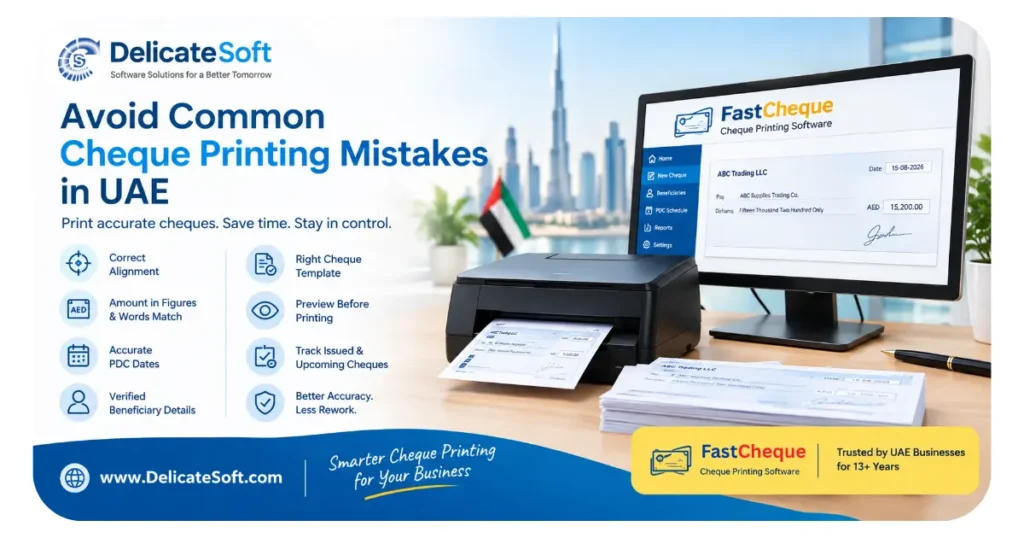
FastCheque is a cheque printing software solution designed to help businesses simplify and automate cheque preparation and printing.
It is suitable for UAE businesses that regularly issue cheques and want a faster and more organized alternative to manually writing cheque details.
FastCheque can help businesses with cheque printing requirements such as:
- Easy cheque preparation
- Professional cheque printing
- Amount in words
- Customizable cheque layouts
- Multiple cheque formats
- Multi-user requirements
- Multi-company requirements
- Cheque records and management
- Printer setup and alignment
- Business-oriented cheque printing workflow
If you are comparing cheque printing software in the UAE, a practical way to evaluate FastCheque is to request a demonstration and test the software with your own cheque format.
Delicate Software Solutions has been providing cheque printing software in the UAE for 13+ years, helping businesses streamline their cheque printing requirements.
How to Get the Best Results From Cheque Printing Software
Once you select your software, follow these best practices:
Test the Cheque Layout
Always perform a test print before printing an actual cheque. Verify that every field is correctly aligned.
Use Appropriate User Permissions
Give cheque printing access only to employees who require it.
Maintain Regular Backups
Back up your cheque data regularly to reduce the risk of losing important records.
Verify Cheque Details Before Printing
Always check the payee name, date, amount, and other information before printing.
Keep Software Updated
Install recommended software updates to maintain compatibility, security, and reliability.
Train Employees
Even if the software is easy to use, provide basic instructions to employees who will prepare and print cheques.
Common Mistakes to Avoid When Choosing Cheque Printing Software
Many businesses make the mistake of selecting software based only on its price.
Avoid these common mistakes:
- Choosing software without testing the actual cheque format
- Buying software without checking printer compatibility
- Ignoring customer support
- Not checking multi-user requirements
- Not checking multi-company functionality
- Assuming all cheque printing software works with every bank format
- Not asking about backup and data recovery
- Choosing software without a demo
- Ignoring future business requirements
- Selecting a solution based only on screenshots or promotional claims
The best software is the one that works reliably with your actual business process.
Final Checklist: Choosing the Right Cheque Printing Software
Before making your final decision, make sure the software:
☑ Supports your bank’s cheque format
☑ Prints cheque information accurately
☑ Allows cheque layout customization
☑ Is easy for your employees to use
☑ Supports your printer
☑ Provides print preview
☑ Supports multiple users if required
☑ Supports multiple companies if required
☑ Provides appropriate security controls
☑ Offers data backup and recovery
☑ Has reliable customer support
☑ Provides installation and training if required
☑ Offers a demo or test opportunity
☑ Can support your future business growth
Conclusion
Choosing the best cheque printing software in the UAE requires more than comparing prices. Businesses should evaluate cheque format compatibility, printing accuracy, customization, ease of use, security, printer compatibility, multi-user and multi-company support, data management, scalability, and customer service.
The best approach is to identify your requirements first, compare suitable solutions, request a demo, and test the software using your actual bank cheque and printer.
For UAE businesses looking for a reliable cheque printing software, cheque writer software, or cheque printing system, FastCheque provides a practical solution for simplifying cheque preparation and printing.
Ready to see how FastCheque works? Request a demo and test the cheque printing process for your business.